Construction AI

The office work, handled between the site and the bank.

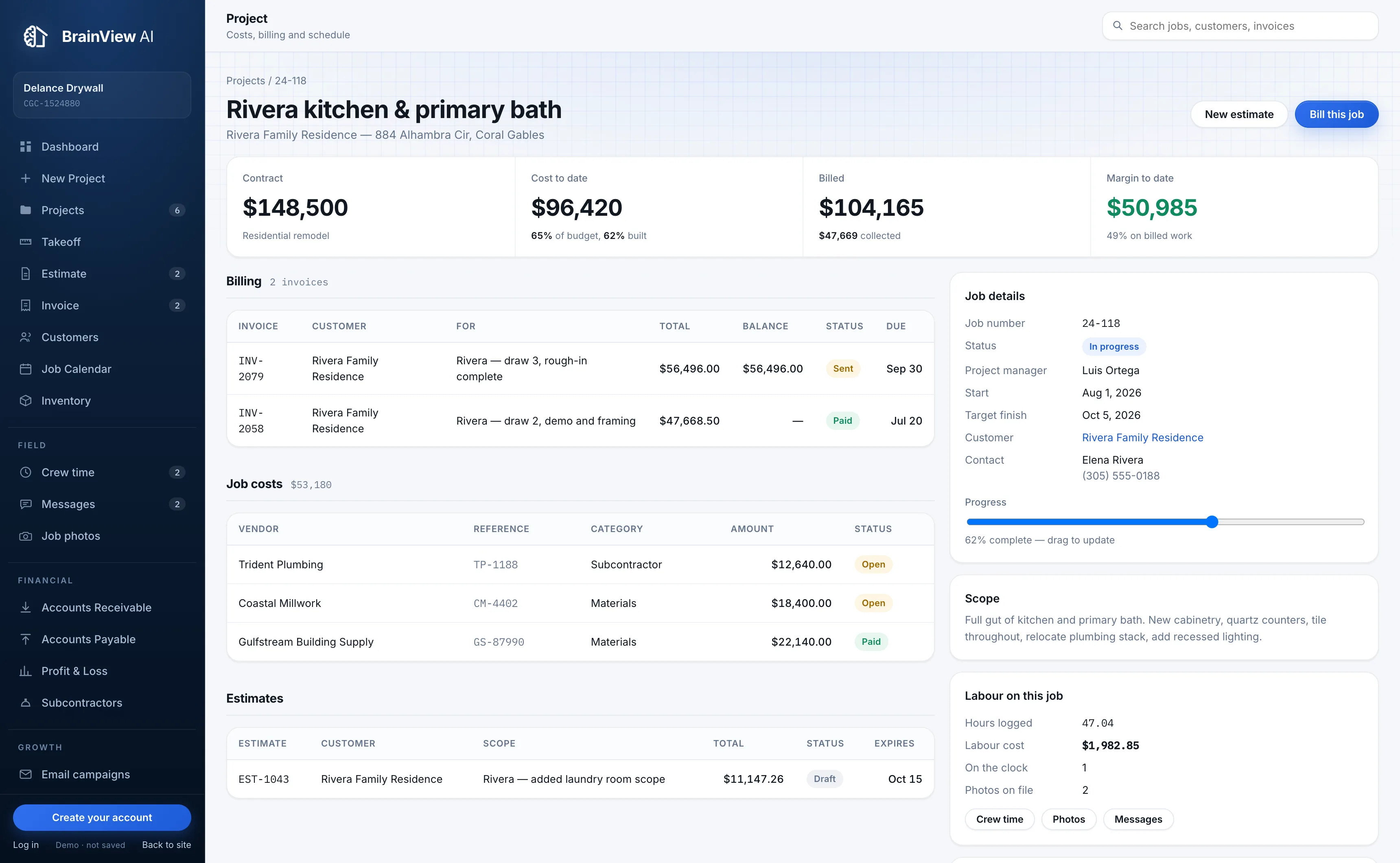
Takeoff, estimates, invoicing, job costing and cash for contractors running 5 to 50 jobs. Every figure on screen traces back to a record you entered.

Or open the live demo first. It runs the whole product, no account needed.

trybrainview.com/demo
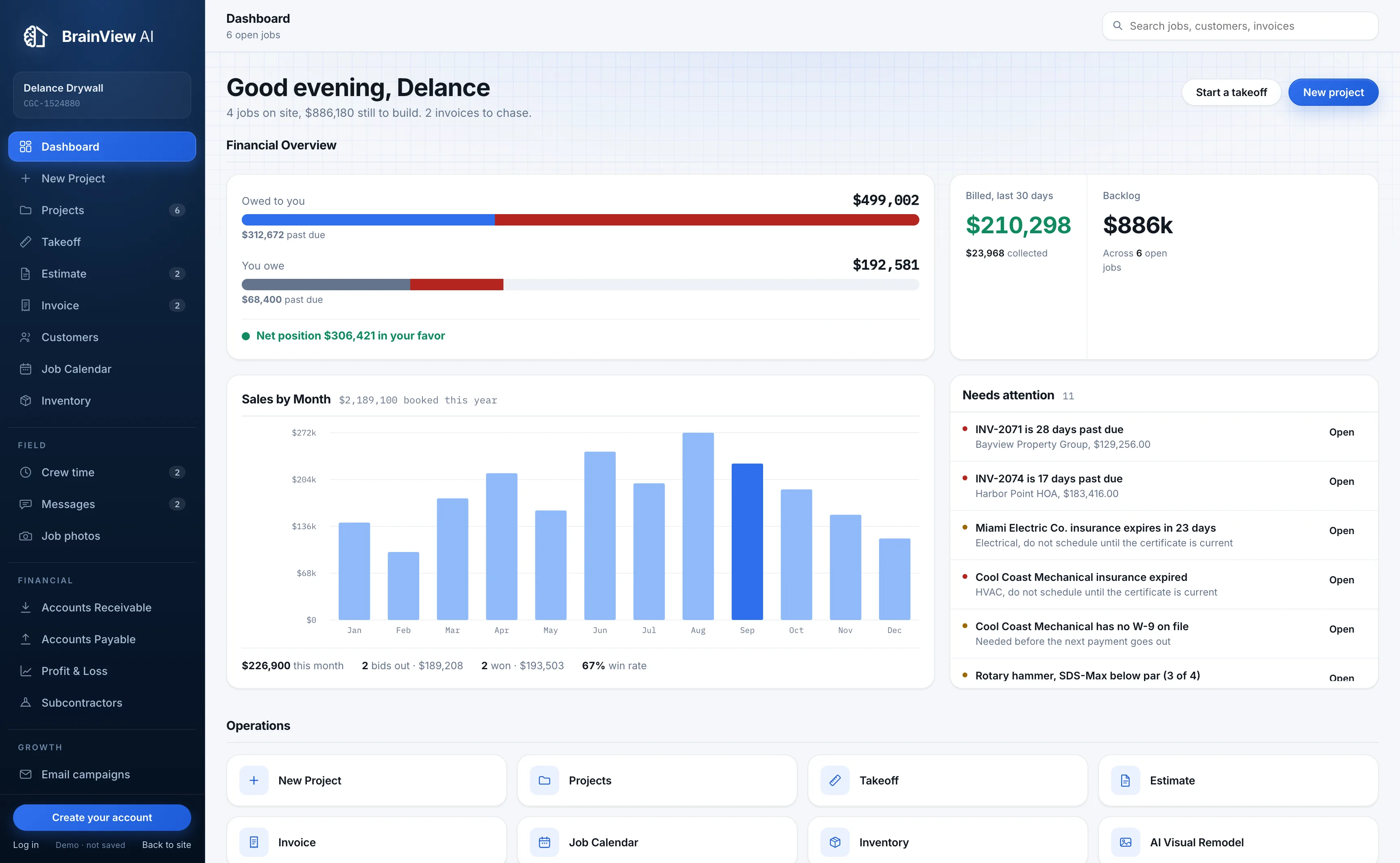
Dashboard6 open jobs
Financial Overview
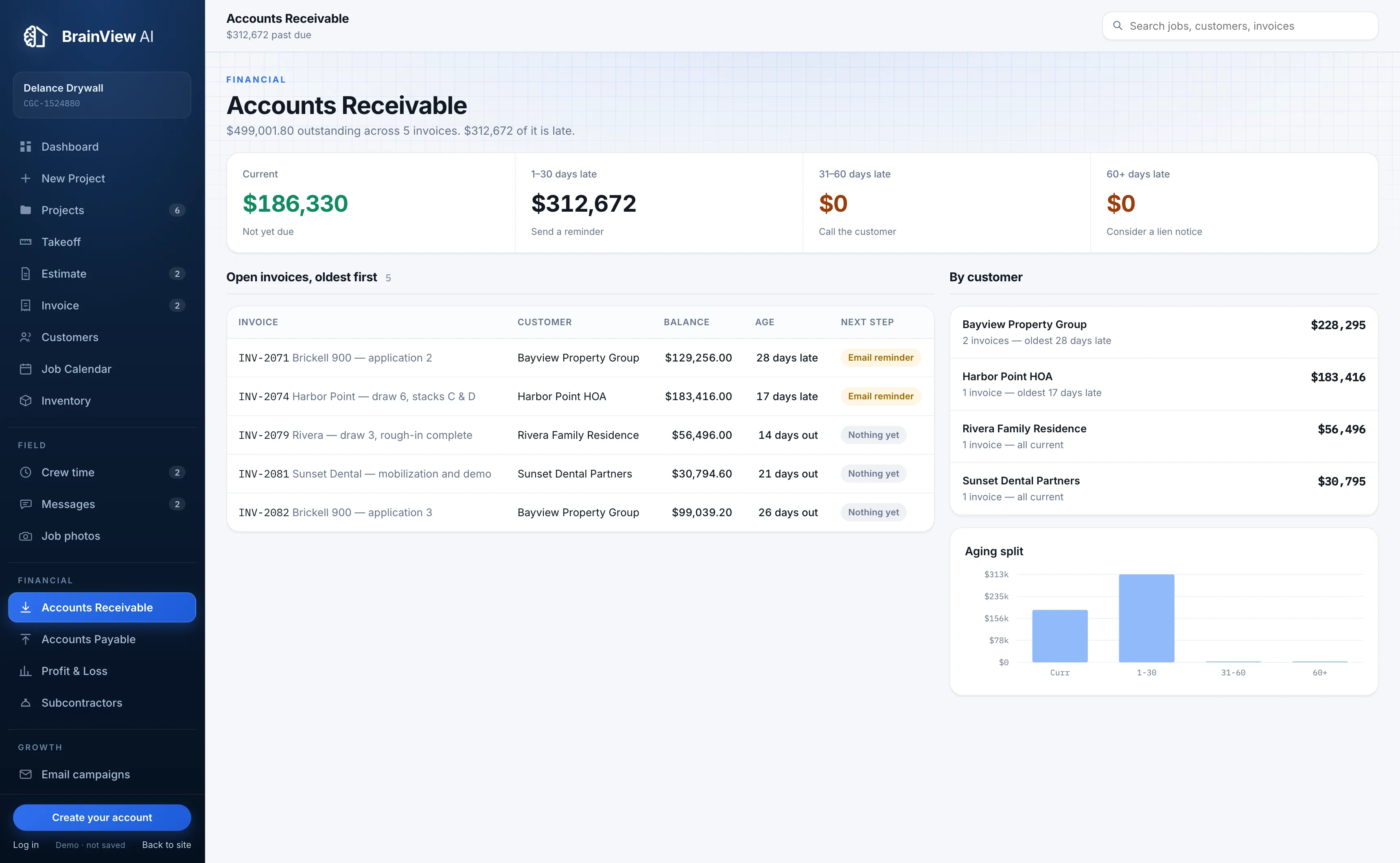
Accounts Receivable
$499,002
$312,672 past due
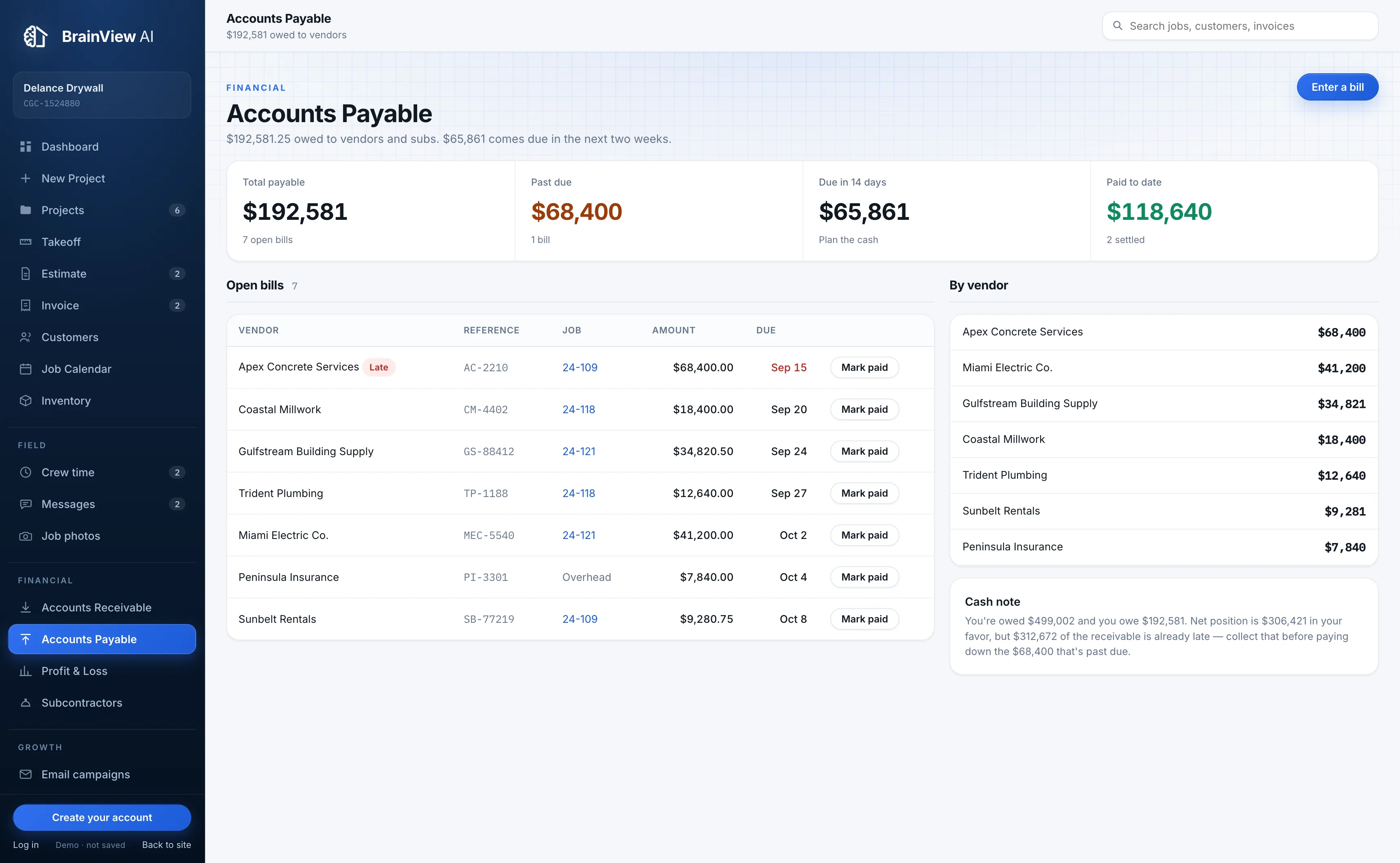
Accounts Payable
$192,581
$68,400 past due
Billed, last 30 days
$210,298
$23,968 collected
Backlog
$886k
Across 6 open jobs
Sales by Month$2,189,100 booked this year
Build the work

Everything the job needs, in one place

Built around how a contractor actually works: measure the job, price it, build it, get paid for it.

Takeoff

Enter dimensions, get quantities with waste, priced by assembly from your own rates. One click turns it into an estimate.

Estimates

Line items that total live, including tax. Send it, track won or lost, and see your real win rate on decided bids.

Invoicing

Bill a job by draw or by percentage. Record payments as they land and watch the balance move.

Job calendar

Crew days, deliveries, inspections and owner meetings across every job, on one calendar.

Inventory

Tools, materials and safety gear across the yard and the jobs, with par levels and 90-day price movement.

Subcontractors

W-9s, insurance expiry and payment history, with anyone out of compliance flagged before you schedule them.

Follow the money

Know the margin before it is gone

Cash in, cash out, and what each job is really making, computed from the records you already keep.

Job costing

Vendor bills coded to the job, against the contract value, so you see margin while there is still time to protect it.

Receivables

Every open invoice aged into buckets, oldest first, with the next step spelled out instead of a summary nobody reads.

Payables

What you owe, when it falls due, and what is already late, split by vendor so you can plan the cash.

Profit & loss

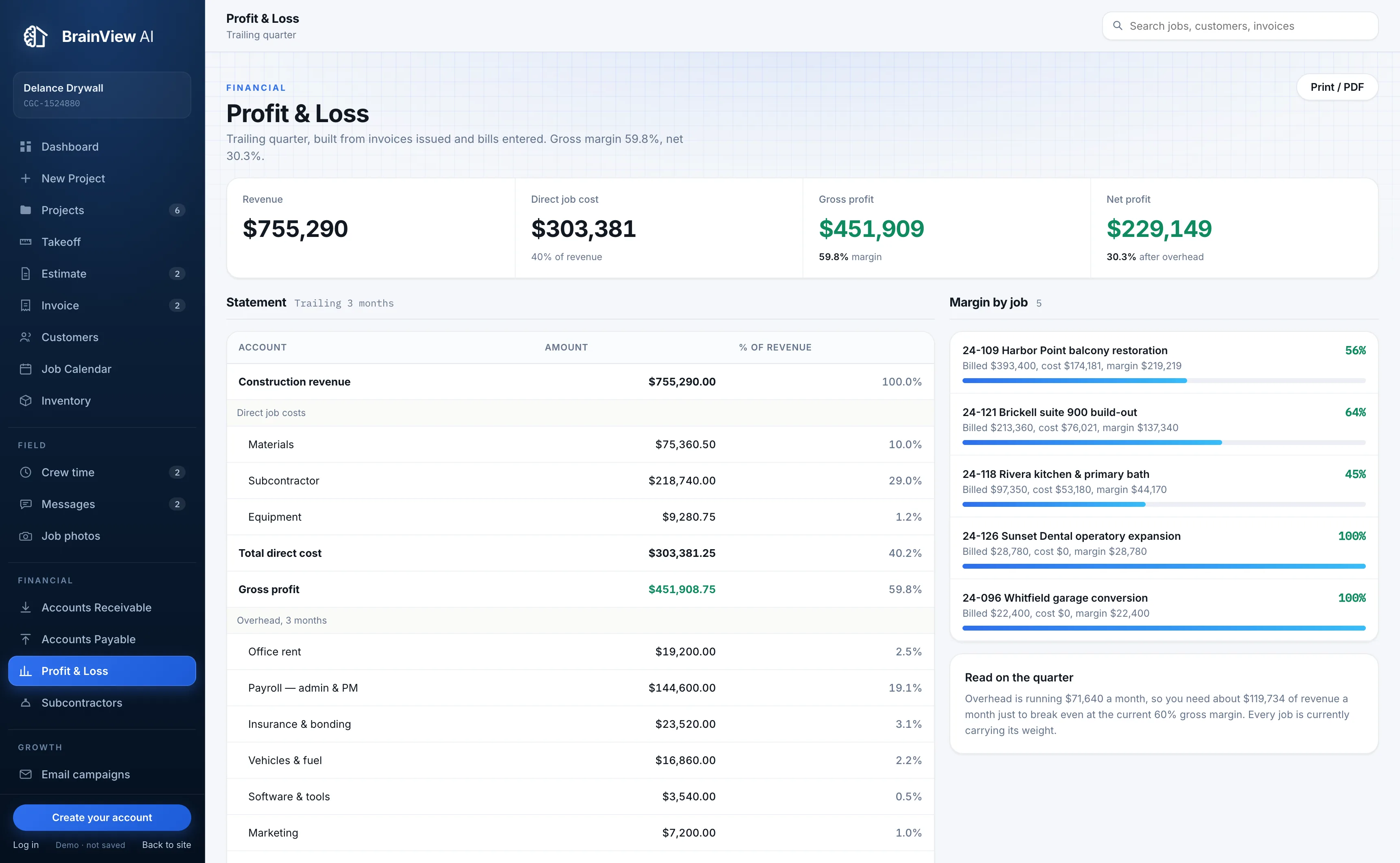
Revenue, direct cost and overhead for the trailing quarter, plus margin broken out job by job.

How it works

See it. Measure it. Build it.

Three steps, and the money math follows on its own.

01

Measure it

Take off the work from your dimensions. Your assemblies, your rates, waste factored in.

02

Price it and send it

The takeoff becomes an estimate. Approve it and it becomes a job, then an invoice.

03

Watch the money

Costs land against the job as bills come in. Receivables, payables and margin update themselves.

Intelligence

Answers from your own numbers

Both of these are in beta and labelled that way in the product, because we would rather show you the seam than paper over it.

Ask BrainViewBeta

Plain questions about your own jobs, money and schedule, answered from your records rather than from a model's imagination.

Visual remodelBeta

Photograph the space, pick a direction, and hand the customer something to react to before anyone prices it.

Every figure traces to a record

Subtotals, tax, balances, aging and margin are computed from your line items and bills. Nothing is stored as a number that can go stale, and nothing is invented.

Your books are yours alone

Every table is scoped to your company and the database enforces it, not just the app. Another contractor on BrainView cannot see a single one of your rows.

Works from the truck

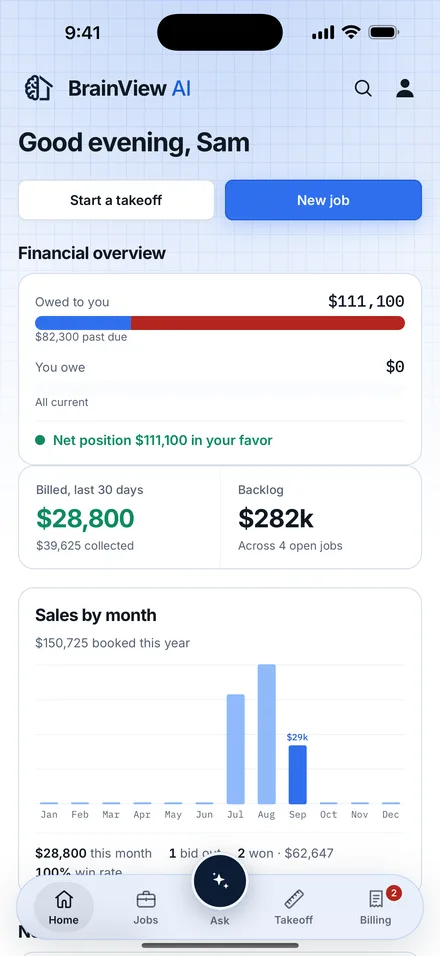
The whole product is built for a phone at 390 pixels first: bottom tabs, stacked tables, full-screen forms, camera capture.

Start with your next job

Create an account, add your company, and take off the first one. It takes a few minutes.